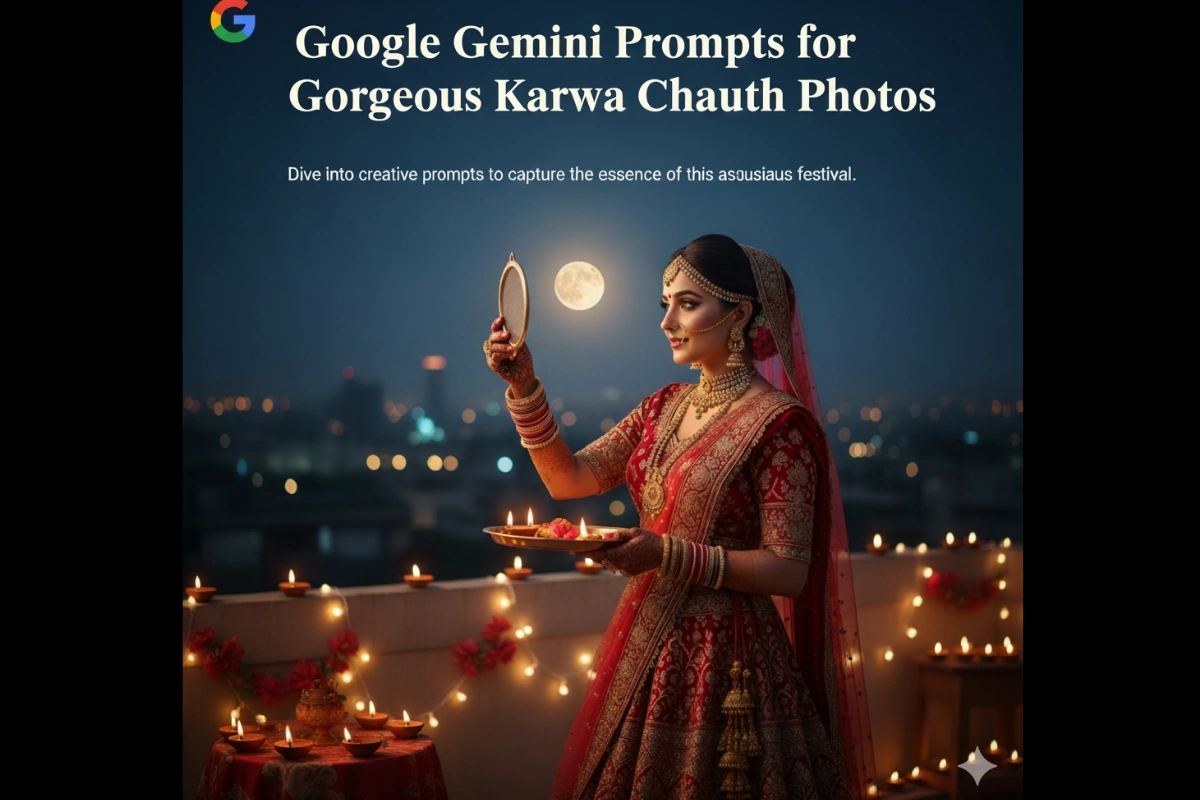
Here are some creative Gemini Gemini Prompts you can use this festive season to make your photos truly stand out on Instagram, WhatsApp, and Google Discover.
💖 1. “Transform my outfit into a red silk Saree with gold zari work, perfect for Karwa Chauth.”
Red symbolizes love and tradition. Ask Gemini to give your attire a radiant red hue with delicate gold detailing — ideal for a timeless Karwa Chauth portrait.
🌙 2. “Add moonlight glow and reflection through the sieve, capturing Karwa Chauth’s essence.”
Gemini can beautifully recreate the moment of looking at the moon through a sieve, adding soft moonlight for an ethereal look.
💫 3. “Enhance my jewelry with traditional gold jhumkas, bangles, and a heavy choker set.”
Jewelry defines the festive look. With Gemini’s AI detail enhancement, you can add realistic traditional ornaments that complement your attire.
💐 4. “Add mehndi designs on my hands with detailed patterns and deep maroon color.”
Karwa Chauth is incomplete without mehndi! Gemini can add intricate mehndi patterns that look natural and elegant.
🪞 5. “Change background to a beautifully lit balcony decorated with diyas and fairy lights.”
Festive backgrounds make all the difference. A warm, glowing setup adds instant charm and makes your image more shareable.
🌺 6. “Give my photo a cinematic festive glow with soft bokeh and golden highlights.”
This prompt adds a dreamy touch, perfect for portraits meant for social media or wedding-like photoshoots.
🧿 7. “Create a couple portrait with matching traditional outfits under moonlight.”
For couples celebrating together, Gemini can merge two photos or generate a unified image reflecting love and togetherness.
💍 8. “Add traditional makeup — bold kajal, Red Lipstick, Bindi, and glowing skin tone.”
Get that flawless festive look instantly without spending hours on editing apps.
Also read: Google Gemini AI Photo Editing Prompts (2025) – Best Examples & Guide
Tips to Get the Best Results from Gemini Gemini Prompts
-
Use High-Resolution Images: Clear photos yield more realistic edits.
-
Be Specific in Prompts: Mention outfit color, background details, or cultural elements.
-
Experiment with Angles: Try close-up shots, full-body portraits, or candid poses.
-
Add Personalized Touches: Include props like thali, diya, or sieve for authenticity.
-
Combine Prompts: Mix multiple ideas for more creative control (e.g., “Add mehndi + moonlight background”).
How to Share Your Gemini-Edited Photos for Maximum Reach
Once you’ve created your masterpiece using Gemini, make sure your efforts don’t go unnoticed:
-
Post on Instagram Reels or YouTube Shorts with trending Karwa Chauth hashtags like #KarwaChauth2025 and #AIPhotoTrend.
-
Use Pinterest boards to showcase different Karwa Chauth looks created via AI.
-
Add your creations to Google Discover-friendly blogs — Gemini-generated visuals are eye-catching and have a high engagement rate.
-
Don’t forget to credit “Created with Google Gemini” for authenticity.
The Future of AI Festive Photography
The rise of AI-driven creativity tools like Google Gemini shows how technology is merging with cultural expression. This Karwa Chauth, women can celebrate tradition while embracing innovation — crafting images that reflect beauty, devotion, and the spirit of modern India.
With Gemini, every festive click becomes a work of art — effortless, elegant, and emotionally rich.
This Karwa Chauth 2025, skip the stress of expensive photoshoots and embrace the power of Google Gemini photo editing prompts. Whether you’re a social media creator, a fashion enthusiast, or simply celebrating with your loved one, these prompts can help you design jaw-dropping festive portraits in just minutes.
Let your pictures tell your story — bright, traditional, and full of love